

Waste management data migration is the part of a software implementation that decides whether the new system tells the truth. The login works on day one. The question is what sits behind it: which site list, which vendor account numbers, which contract rates, and how much invoice history. Move the wrong version of those records and every audit, alert, and report built on top of them inherits the error.
This guide is for the team doing the move: brokers onboarding a new client portfolio, consultants consolidating spreadsheets, and finance or operations leaders at multi-site businesses replacing a mix of files, inboxes, and vendor portals. It covers the sequence, the decisions that cannot be skipped, and the checks that prove the migration worked.
What Waste Management Data Migration Actually Moves
A waste management data migration moves five connected record sets into one system: sites, vendor accounts, services, contracts, and invoices. Each one depends on the one before it. An invoice has to attach to a vendor account. The account has to attach to a site. The service on that account has to match the contract that prices it.
Our earlier article on waste data quality and the master records behind every workflow defines those records and how to keep them clean month to month. This article covers a different job: taking records that live in four or five places, deciding which version wins, and loading them into one system without carrying the old inconsistencies along.
That distinction matters. Cleanup is ongoing maintenance. Migration is a one-time project with a start date, a cutover date, and a decision about every conflicting record in between.
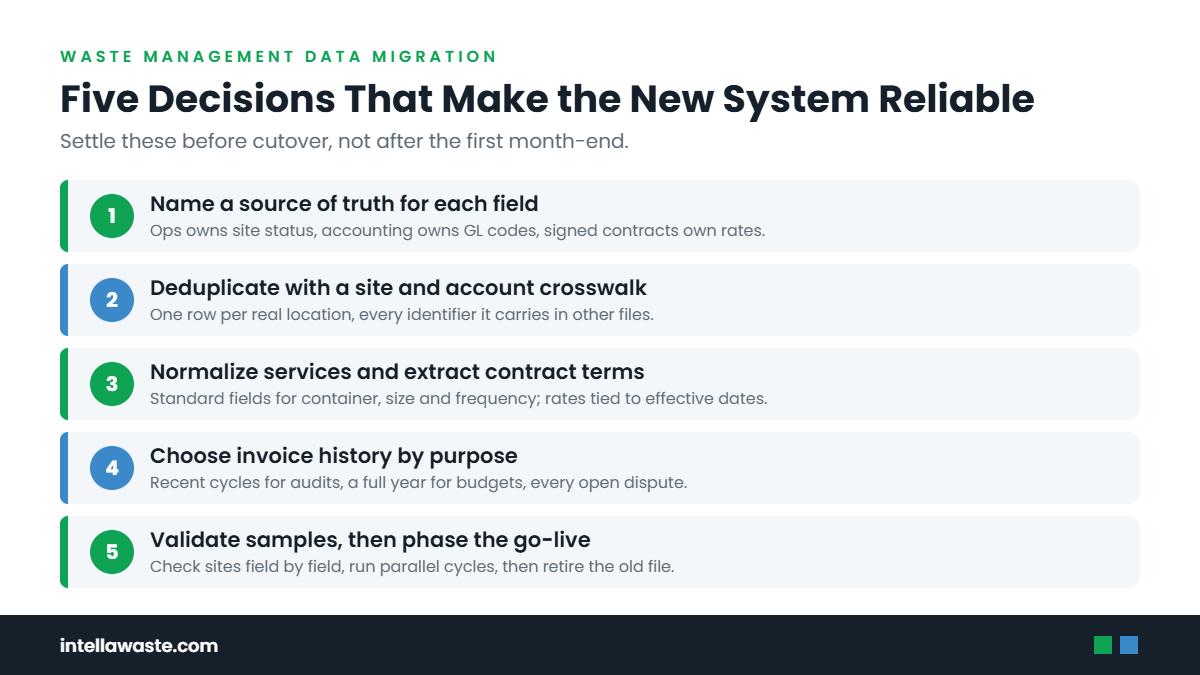
Step 1: Name the Source of Truth for Each Field
Most portfolios have more than one list of everything. Finance has the site list tied to cost centers. Operations has the list of open locations. Real estate has the lease list. The hauler has its own account list, and the invoices show yet another version of names and addresses.
Do not try to pick one master file. Pick a source of truth for each field. The site’s legal address may come from real estate, its cost center from finance, and its open or closed status from operations. Write those decisions down before anyone starts importing.
| Record | Common sources | Usually the best source | Tie-break rule |
|---|---|---|---|
| Site status (open, closed, paused) | Operations list, finance list, lease records | Operations, with an effective date | A site with no current lease or operating owner is flagged, not loaded as active |
| Cost center or GL coding | Accounting system, AP coding sheets | Accounting system | Use the code that current invoices are posted to |
| Vendor account number | Recent invoices, vendor portals, AP vendor file | The most recent invoice | An account with no invoice in the recent billing cycles is researched before import |
| Service level (container, size, frequency) | Contract exhibits, invoices, site staff | Current invoice, confirmed by the site | If the contract and invoice differ, load the invoice and open an exception |
| Contract rates and terms | Signed agreements, amendments, rate notices | The signed agreement plus every amendment | An unsigned quote or email is not a contract term |
The tie-break column is the most useful part. It turns arguments into rules, and it gives the team a consistent answer when a record looks different in every file.
Step 2: Deduplicate Sites and Vendor Accounts With a Crosswalk
Duplicate sites are the most common migration defect. “Store 114,” “#114 Main St,” and “Main Street Plaza” can be the same location in three files. If all three load, spend splits three ways and the site never looks expensive.
Build a crosswalk before import. It is a simple table with one row per real location and a column for each identifier it carries elsewhere: internal site number, finance cost center, each hauler account number, and the service address as each vendor writes it. Match on address and account number first, then on name. Names are the least reliable field.
Vendor accounts need the same treatment. One location can have separate accounts for trash, recycling, and organics, sometimes with different haulers. One account can also cover several locations. The crosswalk should show both directions so no account is orphaned and no site appears to have service it does not have.
Closed and sold sites belong in the crosswalk too, marked with their status and effective date. Leaving them out hides accounts that may still be billing. Our guide to stopping waste billing after a site closure covers what to check for those accounts once they are visible.
Step 3: Normalize Service Descriptions
Haulers describe the same service in different ways. One invoice says “8YD FL 3X.” Another says “8 cubic yard front load, three times weekly.” A spreadsheet says “8yd M/W/F.” A system cannot compare them until they share one format.
Define a standard service record with separate fields for material stream, container type, container size, quantity, pickup frequency, and service type (scheduled, on-call, or temporary). Then map every source description into those fields. Keep the original text in a notes field so anyone can trace the mapping back to the source document.
Normalization is also where hidden problems show up. A site with two containers on the invoice but one on the contract exhibit is an exception, not a formatting issue. Log it and keep going. Resolving every exception before go-live stalls the project; ignoring them loads errors as fact.
A practical mapping rule
When a description cannot be mapped with confidence, load the service as “unverified” and assign it to a person. A clearly labeled gap is better than a guessed value that looks clean in a report.
Step 4: Extract Contract Terms Into Fields
A contract stored as a PDF is a document. A contract stored as fields is a control. Auditing depends on the second version.
For each agreement, extract the terms an invoice will be tested against: start and end dates, renewal and notice provisions, base rates by service, permitted fees and how they are calculated, allowed price increases and their timing, and any one-time charges that are defined in advance. Link every extracted term to the page of the signed document it came from.
Hauler contracts commonly run 12 to 60 months and allow price changes inside defined windows. That means the effective date of each rate matters as much as the rate itself. A migration that loads only the current price loses the history needed to check whether a past increase was permitted.
Amendments are the usual gap. Gather them before extraction starts, and record which amendment changed which term. If an amendment cannot be found, flag the contract rather than assuming the latest invoice rate is correct.
Step 5: Choose How Much Invoice History to Bring
Bringing every invoice ever received sounds thorough. In practice, it often loads years of inconsistent formats, closed accounts, and disputes nobody can reconstruct. Bringing none leaves the new system without a baseline.
Choose history by purpose. Each use case needs a different depth.
Current audit coverage: the most recent billing cycles for every active account, so the first audit has something to compare against.
Price-change review: enough history to show the rate in effect before and after each increase during the current contract term.
Budgeting and trend reporting: a full year or more, so seasonal patterns are visible.
Open disputes: every invoice tied to an unresolved discrepancy or a promised credit, regardless of age.
Older invoices can stay archived in their original location with a note on where to find them. They do not need to be parsed to be retrievable.
Step 6: Assign Record Owners Before Go-Live
Every record type needs a named owner after migration. Without one, the new system starts drifting the same way the old files did.
Assign an owner for site status changes, vendor account setup, service changes, contract entry and renewals, and exception review. The owner does not have to do every update personally. They are accountable for the record being right and for the handoff that keeps it right, such as operations notifying the owner when a site closes or a container is added.
Ownership is also the fix for knowledge that lives with one employee. If a single person knows which client gets a special billing rule or which site has an unusual access arrangement, that knowledge should become a field or a note during migration, not stay in their inbox.
Step 7: Validate With Samples, Not Totals
A migrated portfolio can match last month’s total spend and still be wrong. Offsetting errors cancel out in a total. They do not cancel out at the site level.
Validate with structured samples. Pull a set of sites that covers every hauler, every region, every service type, and at least a few unusual arrangements. For each sampled site, compare the loaded record with the source documents field by field: address, status, account numbers, containers, frequency, contract rates, and the most recent invoice line items.
Then test outputs, not just inputs. Run an audit on the sampled invoices and confirm the exceptions it raises are real. If the system posts to accounting, compare the generated entries with what AP would have posted manually. Our article on waste management accounting integration explains what that mapping needs to carry.
Record the error rate the sample finds and fix the cause, not just the record. If one hauler’s account numbers loaded with a missing prefix, the fix is the mapping rule for that hauler.
Step 8: Phase the Go-Live
A single cutover across hundreds of locations concentrates every problem into one month-end. A phased go-live spreads the risk and lets each wave improve the next.
There are three common ways to phase.
By hauler: start with the vendor whose invoices are most consistent, then add the harder formats.
By region or client: brokers often migrate one client portfolio at a time.
By function: invoice collection and parsing first, auditing second, client billing and accounting output after the data has proven reliable.
Run the old and new processes side by side for at least one full billing cycle in each phase. Set a clear exit rule: the new system becomes the record when sampled invoices, audit results, and accounting output match the source documents. After that, retire the old spreadsheet so there is only one version to update.
What to watch in the first cycles
Look for invoices that fail to attach to a site, accounts with no expected invoice, and a spike in exceptions from one vendor. Each points to a mapping issue rather than a billing problem. Once those settle, an exception-based invoice auditing workflow can take over from manual review.
Mistakes That Undo a Migration
Importing every legacy inconsistency and calling it complete is the most expensive mistake. The new system then reports old errors with more confidence than the spreadsheet did.
Other common failures are just as avoidable: treating the latest invoice rate as the contract rate, loading closed sites as active because no one confirmed status, skipping amendments, validating only against totals, and leaving no owner for changes after launch. Each one is a decision deferred, not a technical limitation.
If the team is still choosing a platform, ask each vendor how it handles these steps. Our buyer’s guide to waste management software lists the implementation questions worth asking before signing.
Where IntellaWaste Fits
IntellaWaste is built around the records a migration produces. IntellaWaste’s waste management software includes Service Level Tracking that displays the number of containers, container size, type of service, and pickup frequency for each location. Automatic invoice uploads and parsing read each line item and assign every invoice to the appropriate customer location, with the PDF available for viewing. Hauler contract tracking and invoice auditing test invoices against contract terms, and overbilling case management tracks price discrepancies (PDs) through to resolution.
IntellaWaste integrates with accounting platforms including QuickBooks and NetSuite. Pricing is $5 per location per month with unlimited invoices, and there is no minimum number of locations. IntellaWaste has helped businesses since 2017, has processed 60 million invoices, and supports 15,000 customer locations.
Bottom Line
A waste management data migration is a set of decisions: which source wins for each field, which records are duplicates, how services are described, which contract terms apply on which dates, how much history is worth loading, and who owns each record afterward. Make those decisions explicitly, validate them with samples, and phase the cutover. The result is a single operating record that auditing, alerts, client billing, and reporting can trust.
If a waste software change is on your 2027 plan, book an IntellaWaste demo and bring your current site list, vendor accounts, and a sample of recent invoices.
IntellaWaste provides waste management software solutions for businesses across the United States.